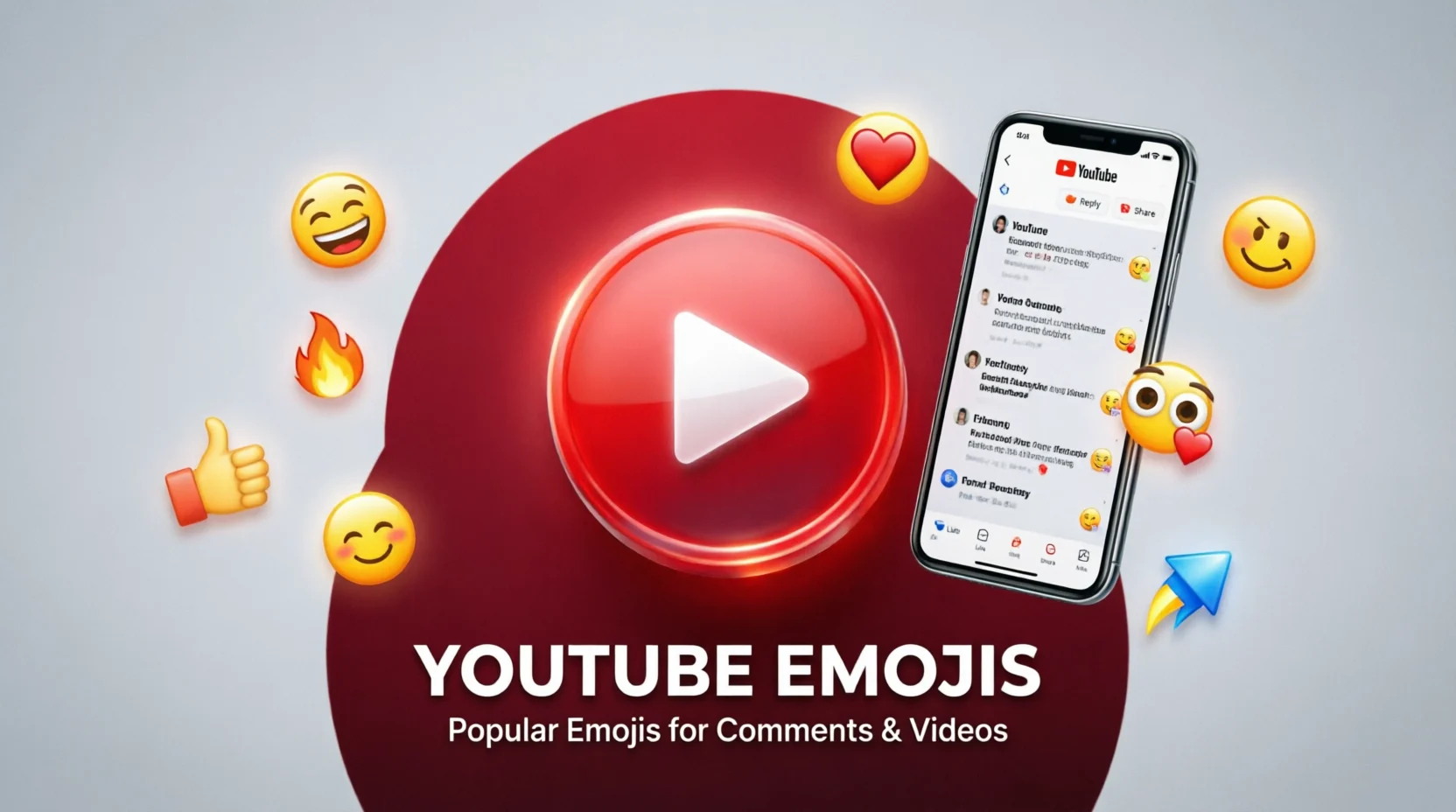
YouTube emojis make comments, video titles, descriptions, live chats, and community posts more expressive and engaging. Popular choices include 😂 for laughter, ❤️ for love, 🔥 for excitement, 👍 for approval, and 🎬 for videos. You can copy and paste these emojis into YouTube comments, Shorts captions, channel descriptions, and other supported text fields. If you want funny YouTube emojis, reaction symbols, or combinations for your next video, this guide explains their meanings and shows you how to use them effectively.
Quick Answer: What Are YouTube Emojis?
YouTube emojis are standard emoji symbols that people use across YouTube to express emotions, react to videos, decorate text, and communicate with creators and viewers. YouTube also has platform-specific features, including custom channel membership and live chat emotes, that may offer additional ways to express reactions.
Here are some popular YouTube emojis you can copy and paste:
| Emoji | Meaning | Best Use |
| 😂 | Laughing | Funny videos and jokes |
| ❤️ | Love | Showing appreciation |
| 🔥 | Excitement | Impressive content |
| 👍 | Approval | Positive feedback |
| 👎 | Disapproval | Expressing a negative reaction |
| 🎬 | Movies and videos | Video-related content |
| ▶️ | Play | Video themes and calls to action |
| 💯 | Perfection | Praising excellent content |
| 😱 | Shock | Surprising moments |
| 👀 | Interest or curiosity | Teasers and suspense |
| 🎉 | Celebration | Milestones and achievements |
| 🚀 | Growth and ambition | Channel goals and progress |
What Are YouTube Emojis Used For?
YouTube emojis help people communicate feelings and ideas without writing long messages. Their meaning depends on the context, the video, and the way other symbols or words are used alongside them.
1. Expressing Reactions in Comments
Viewers use emojis to respond quickly to videos. For example, 😂 can show that a joke was funny, while 😱 can express surprise at an unexpected moment.
Examples:
- “This ending was unbelievable 😱”
- “I laughed way too hard at this 😂”
- “Your videos keep getting better 🔥”
- “This deserves more love ❤️”
2. Making Video Titles More Noticeable
Creators sometimes include emojis in video titles to communicate the subject or mood of their content.
Examples:
- My First Gaming Setup 🎮
- The Funniest Moments of 2026 😂
- Exploring an Amazing Place 🌍
- I Tried Something Completely New 😱
Use emojis to support the title rather than replace important words. Viewers should still understand what the video is about.
3. Decorating Video Descriptions
Emojis can make long descriptions easier to scan by separating sections or highlighting important details.
For example:
- 🎬 About this video
- ⏰ Timestamps
- 📌 Important information
- 🔗 Useful links
- 💬 Share your thoughts in the comments
4. Interacting During Live Streams
YouTube live chat allows viewers to use standard emojis. Eligible channels may also offer custom live chat emotes associated with channel memberships.
Viewers might use 🎉 to celebrate a win, 😂 to react to a funny moment, or ❤️ to show support. Custom emotes can have channel-specific meanings, so their interpretation may depend on the creator’s community.
Best YouTube Emojis to Copy and Paste
Use the collections below to find emojis for different situations. You can copy individual symbols or entire combinations.
Funny YouTube Emojis
For comedy videos, funny comments, memes, and entertaining Shorts.
😂 🤣 😭 💀 🤪 😜 🤡 🙃 😹
Copy funny emojis
Love and Support Emojis
For appreciation, positive comments, and encouraging creators.
❤️ 🥰 😍 💖 💕 🫶 🙌 🌹
Copy love emojis
Gaming YouTube Emojis
For gameplay, streaming, challenges, and gaming channel branding.
🎮 🕹️ 🔥 ⚔️ 🏆 💀 👑 🚀
Copy gaming emojis
Reaction Emojis
For expressing shock, curiosity, excitement, or disappointment.
😱 👀 🤯 😮 😍 😬 🤔 😢
Copy reaction emojis
Creator and Video Emojis
For video production, channel updates, tutorials, and new uploads.
🎬 📹 🎥 ▶️ ✂️ 🎤 📸 ✨
Copy creator emojis
YouTube Emoji Meanings Explained
Some emojis are used so frequently that viewers recognize their common meanings immediately. However, their interpretations are not fixed.
| Emoji | Common Meaning | Example Comment |
| 😂 | Something is hilarious | “That last scene 😂” |
| 💀 | Extreme laughter or disbelief | “I cannot believe that happened 💀” |
| 🔥 | Excellent, exciting, or impressive | “Your editing is 🔥” |
| 👀 | Curiosity or anticipation | “Waiting to see what happens 👀” |
| 🤯 | Amazement or shock | “That fact just blew my mind 🤯” |
| ❤️ | Love and appreciation | “Love this channel ❤️” |
| 🙌 | Celebration or support | “You finally did it 🙌” |
| 💯 | Strong approval | “Absolutely correct 💯” |
| 🤔 | Thinking or questioning | “Interesting point 🤔” |
| 🥶 | Coolness or an impressive moment | “That comeback was cold 🥶” |
| 🗿 | Deadpan humor or a stoic expression | “Bro did not react 🗿” |
| ✨ | Emphasis, excitement, or a special touch | “The final result ✨” |
One important detail: 💀 can mean laughter in internet slang rather than death. Similarly, 🔥 often means something is excellent, not literally burning. Understanding online context helps you interpret these symbols correctly.
Best YouTube Emoji Combinations
Combining two or three emojis can communicate an idea more clearly than using a single symbol.
😂💀
Extremely funny
This clip finished me 😂💀
Copy
🔥💯
Excellent content
The quality is unmatched 🔥💯
Copy
👀🍿
Waiting for drama
This is getting interesting 👀🍿
Copy
🎮🏆
Gaming victory
Finally got the win 🎮🏆
Copy
❤️🙌
Love and support
Keep creating amazing videos ❤️🙌
Copy
🎬✨
Creative video
The final edit looks amazing 🎬✨
Copy
😱🤯
Unexpected surprise
I never saw that coming 😱🤯
Copy
🚀📈
Growth and success
The channel keeps growing 🚀📈
Copy
These combinations work well in casual comments and captions. For professional or educational videos, simpler combinations such as 🎬✨ or 📚💡 may fit better.
YouTube Emojis for Comments and Replies
A good emoji can add warmth to a comment or make a short reply feel more expressive. The best choice depends on what you want to say.
Positive Comments
- “Amazing video! ❤️”
- “This deserves a million views 🔥”
- “Great explanation 👏”
- “Keep up the fantastic work 🙌”
- “The effort really shows 💯”
Funny Comments
- “I was not ready for that ending 😂”
- “Bro really did that 💀”
- “The confidence is unreal 🤣”
- “Why is this so accurate 😭”
- “I watched this three times 😂😂”
Curious Comments
- “How did you make this? 🤔”
- “What happens next? 👀”
- “Can you make a tutorial? 📹”
- “I need more details about this 💡”
Replies to Viewers
Creators can use emojis to make their responses friendlier:
- “Thank you for watching ❤️”
- “Glad you enjoyed it 🙌”
- “More videos coming soon 🔥”
- “Great suggestion! 💡”
- “Thanks for being part of the community 🎉”
Emojis can make comments feel more personal, but a meaningful sentence usually communicates appreciation better than a row of symbols alone.
YouTube Emojis for Shorts, Titles, and Descriptions
Different parts of YouTube serve different purposes, so it helps to choose emojis accordingly.
For YouTube Shorts
Short-form videos often benefit from concise, expressive captions.
Examples:
- Wait for the ending 😱
- This was too funny 😂
- One trick you need to know 💡
- Never give up 💪
- The final result is crazy 🤯
For Video Titles
Use emojis that reinforce the topic:
| Video Type | Example Title |
| Gaming | I Finally Won the Hardest Match 🎮 |
| Cooking | Easy Dinner Recipe 🍳 |
| Travel | Exploring Beautiful Places 🌍 |
| Education | Learn This in Five Minutes 📚 |
| Comedy | Try Not to Laugh 😂 |
| Technology | My New Tech Setup 💻 |
| Fitness | My Workout Challenge 💪 |
| Music | A Song You Need to Hear 🎵 |
Keep titles descriptive and easy to read. A relevant emoji can add personality, but it cannot replace a clear title.
For Video Descriptions
You can use emojis as section markers:
- 📌 Key information
- 🎬 Video highlights
- ⏱️ Chapters and timestamps
- 🔔 Channel updates
- 💬 Questions for viewers
- 📚 Additional resources
Use headings and timestamps where useful, rather than adding an emoji to every sentence.
What Is the Difference Between YouTube Emojis and Custom Emotes?
The term “YouTube emojis” can refer to more than one thing. Understanding the difference helps you choose the right option.
| Feature | Standard Emojis | Custom YouTube Emotes |
| Examples | 😂 ❤️ 🔥 | Channel-specific artwork |
| Availability | Across many apps and devices | Depends on eligible YouTube features and channels |
| Appearance | Usually standardized, with platform variations | Designed for a specific creator or community |
| Where used | Comments, titles, descriptions, chats, and other supported fields | Supported live chats and membership-related features |
| Who provides them | Unicode emoji standards and device software | Creators or platform-supported channel features |
Standard emojis are generally the easiest choice because you can copy them from a keyboard, website, or this article. Custom emotes may be available through channel memberships and can offer a more distinctive community identity.
YouTube’s available features can change, and access to certain custom emotes depends on the channel and the feature being used.
How to Use Emojis on YouTube
Adding standard emojis is straightforward.
- Choose an emoji. Find a symbol that matches your message, such as 😂 for a funny comment or ❤️ for appreciation.
- Copy the symbol. Select and copy the emoji from this article or use your device’s emoji keyboard.
- Open YouTube. Navigate to the comment box, video title editor, description field, or supported chat.
- Paste the emoji. Place it beside the relevant words rather than adding it randomly.
- Check the final message. Make sure the emoji displays correctly and that the text remains easy to understand.
On Windows, you can usually open the emoji picker by pressing Windows key + . (period). On many smartphones, tap the emoji button on your keyboard.
If an emoji does not display properly, update your operating system or try a widely supported alternative.
Common Mistakes When Using YouTube Emojis
1. Adding Too Many Emojis
A title filled with symbols can become difficult to read. One or two relevant emojis are often enough.
2. Using Unrelated Emojis
A cooking video title filled with gaming symbols may confuse viewers unless the video deliberately combines both topics.
3. Assuming Emojis Have Only One Meaning
The 💀 emoji may signal laughter in one comment and shock in another. Interpret it in context.
4. Replacing Important Words With Symbols
Emojis can support a title or description, but they should not make the topic unclear. Include the words viewers need to understand the content.
5. Forgetting Accessibility
Screen readers may announce emoji names aloud. Long strings of repeated emojis can make content harder for some users to navigate. Use them thoughtfully, especially in longer descriptions.
Practical Tips for Using YouTube Emojis Effectively
- Match the mood: Choose 😂 for comedy, ❤️ for appreciation, and 💡 for helpful ideas.
- Keep titles clear: Put the main topic first and use emojis as supporting elements.
- Use combinations sparingly: Two or three related symbols can be more effective than ten unrelated ones.
- Know your audience: A gaming community may enjoy 🎮🔥, while an educational audience may prefer 📚💡.
- Make comments meaningful: Add a short sentence so creators understand your reaction.
- Check display compatibility: Emoji designs can vary across devices.
- Use custom emotes appropriately: If a creator has special community emotes, check how their audience uses them.
- Prioritize readability: Avoid replacing essential information with decorative symbols.
FAQs:
1. What are the most popular YouTube emojis?
Common choices include 😂, ❤️, 🔥, 👍, 👀, 💯, 😱, and 🎉. Their popularity and meaning vary by community and context.
2. How do I copy and paste YouTube emojis?
Copy an emoji from this article, then paste it into a supported YouTube text field. You can also use your phone’s emoji keyboard or the Windows emoji picker.
3. Are YouTube emojis free to use?
Standard emojis are generally available through device keyboards without an extra charge. Some channel-specific emotes may require access to eligible membership features.
4. Can I use emojis in YouTube video titles?
Yes. You can generally include standard emojis in titles, provided the title follows YouTube’s current content rules and remains clear and readable.
5. What does 💀 mean in YouTube comments?
It often means that something is extremely funny or shocking. This informal meaning comes from internet slang, although the interpretation depends on context.
6. What is the difference between emojis and YouTube emotes?
Emojis are standardized symbols such as 😂 and ❤️. Custom emotes are creator- or community-specific images available through supported YouTube features.
7. Do emojis help YouTube videos get more views?
Emojis can make a title or caption more expressive, but they do not guarantee more views. Clear topics, engaging content, and viewer satisfaction remain important.
8. Why are some emojis not displaying correctly?
Your device, browser, or operating system may not support the emoji’s design or newer Unicode characters. Updating your software or choosing a widely supported emoji may help.
Conclusion
YouTube emojis are useful for expressing emotions, reacting to videos, decorating captions, and building a recognizable channel personality. Symbols such as 😂, ❤️, 🔥, 👀, and 🎬 work well in many situations, while combinations such as 🎮🏆 and 💡📚 can communicate more specific ideas. Standard emojis are easy to copy and paste, whereas custom YouTube emotes offer additional ways for eligible creator communities to interact.
For the best results, choose emojis that match your content, keep titles and comments readable, and use words whenever clarity matters. If you create gaming videos, educational tutorials, comedy Shorts, or lifestyle content, thoughtful emoji use can make your messages more expressive without distracting viewers from what you want to say.

I’m Connor James, an administrator at FlirtyLinz, passionate about pickup lines, playful conversations, dating, and helping readers find fun, confident, and creative ways to start conversations.